The Ultimate Guide to Browser Start Pages in 2026: Everything You Need to Know
The definitive guide to browser start pages. Learn history, types, best tools, setup guides, customization tips, and future trends. 6000+ words of expert insights.
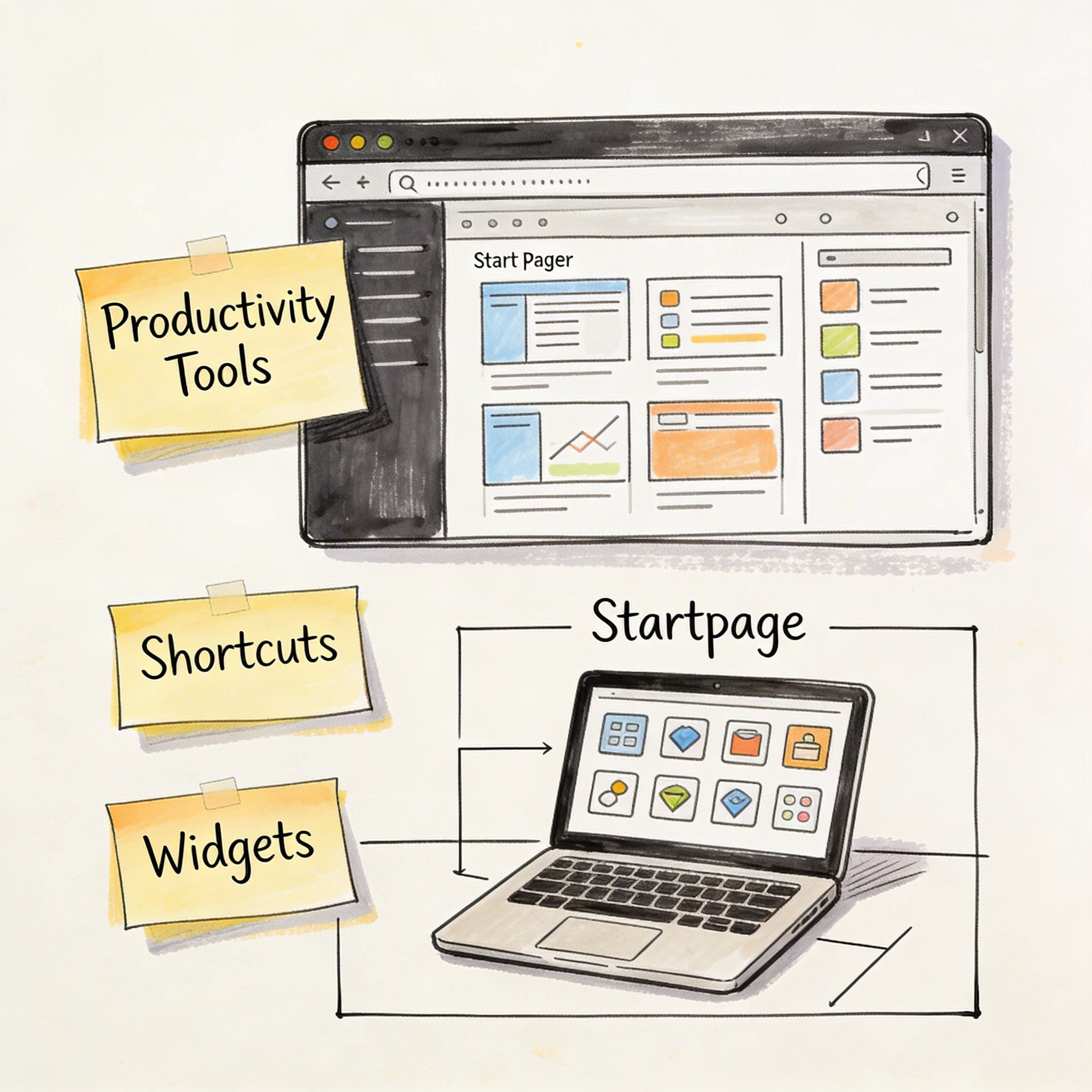
The Ultimate Guide to Browser Start Pages in 2026: Everything You Need to Know
Reading time: 25 minutes | Last updated: January 2026 Word count: 6000+ words | Expertise level: Beginner to Advanced
Every time you open a new browser tab, you’re presented with a choice: start from nothing, or start from somewhere powerful.
That “somewhere” is your browser start page—and in 2026, it’s become one of the most important productivity tools you’ll ever configure.
This comprehensive guide covers everything from the history of start pages to cutting-edge AI-powered workspaces. Whether you’re a casual user or a power user seeking the ultimate setup, this guide has you covered.
Table of Contents
- Part 1: Understanding Browser Start Pages
- Part 2: Types of Browser Start Pages
- Part 3: Best Browser Start Page Tools
- Part 4: Setting Up Your Perfect Start Page
- Part 5: Advanced Customization
- Part 6: Start Pages for Different Users
- Part 7: Future of Browser Start Pages
- Part 8: FAQ
- Conclusion
Part 1: Understanding Browser Start Pages
What is a Browser Start Page?
A browser start page (also called a “new tab page” or “home page”) is the first thing you see when you: - Open your browser - Open a new tab - Click the “Home” button
Think of it as your digital command center—the launching pad for everything you do online.
The Basic Function:
User opens browser → Start page loads → User navigates to destination
But modern start pages are much more than simple navigation. They’ve evolved into: - Bookmark managers - Organize and access your saved links - Productivity dashboards - Display calendars, tasks, weather, news - Information hubs - Aggregate content from multiple sources - AI workspaces - Automatically organize and surface relevant content
The Evolution of Start Pages
Understanding where start pages came from helps us appreciate where they’re going.
Era 1: The Portal Era (1995-2005)
In the early internet days, start pages were dominated by web portals:
- Yahoo! - News, email, search, everything in one place
- MSN - Microsoft’s attempt at a web portal
- AOL - The gateway to the internet for millions
These pages were cluttered, ad-heavy, and tried to keep users within their ecosystem.
Characteristics: - Information overload - Heavy advertising - Walled garden approach - Slow loading times
Era 2: The Search Era (2005-2015)
Google changed everything with its minimalist approach:
[Google Logo]
[          Search Box          ]
[Google Search] [I'm Feeling Lucky]
This became the template for millions of start pages. Clean, fast, focused.
Characteristics: - Minimalist design - Search-centric - Fast loading - Little customization
Era 3: The Dashboard Era (2010-2020)
As users accumulated more bookmarks and tools, dashboard solutions emerged:
- Start.me (2014) - Customizable bookmark dashboards
- Papaly (2013) - Visual bookmark boards
- Speed Dial extensions - Grid-based bookmark access
Characteristics: - Bookmark organization - Widget systems - Customizable layouts - RSS integration
Era 4: The AI Era (2020-Present)
We’re now in the AI-powered workspace era:
- NavHub (2025) - AI organizes bookmarks, creates custom widgets
- Notion AI - AI-assisted note-taking and organization
- Arc Browser - AI-powered browsing experience
Characteristics: - AI-driven organization - Semantic search - Automatic categorization - Custom tool creation - Platform integrations
Why Start Pages Matter in 2026
In 2026, the average knowledge worker: - Opens 100+ browser tabs per week - Uses 9+ different apps daily - Saves 200+ bookmarks per year - Spends 2+ hours daily switching between tools
A well-configured start page addresses all of these challenges:
| Problem | Solution |
|---|---|
| Tab overload | Central dashboard reduces need for multiple tabs |
| App switching | Integrations bring data from multiple apps to one place |
| Bookmark chaos | AI organization makes saved links findable |
| Context switching | Unified workspace maintains focus |
The ROI of a good start page: - Time saved: 30-60 minutes per day - Cognitive load reduced: Less decision fatigue - Information accessible: Find what you need in seconds - Focus improved: Customized for your workflow
Part 2: Types of Browser Start Pages
Default Browser Start Pages
Every browser comes with a built-in start page:
| Browser | Default Start Page Features |
|---|---|
| Chrome | Recent tabs, shortcuts, search, Discover feed |
| Firefox | Top sites, highlights, Pocket recommendations |
| Safari | Favorites, frequently visited, reading list |
| Edge | News feed, quick links, productivity widgets |
| Brave | Private by default, crypto wallet, rewards |
Pros: - Zero setup required - Native performance - Browser sync included - Free
Cons: - Limited customization - No advanced features - Can’t add custom widgets - No AI features
Best for: Users who want simplicity with no setup.
Search Engine Home Pages
Some users set search engines as their start page:
- Google - Clean, fast, integrated services
- DuckDuckGo - Privacy-focused, no tracking
- Bing - Beautiful backgrounds, rewards program
- Startpage - Google results without tracking
Pros: - Instant search access - Fast loading - Familiar interface
Cons: - No bookmark organization - No widgets or dashboards - Single-purpose
Best for: Users who primarily use search to navigate.
Bookmark Dashboards
Dedicated bookmark management tools:
| Tool | Focus | Key Feature |
|---|---|---|
| Start.me | Traditional dashboard | RSS integration |
| Raindrop.io | Visual bookmarks | Beautiful collections |
| Papaly | Board organization | Pinterest-style layout |
| Toby | Tab organization | Chrome extension |
Pros: - Focused on bookmark management - Visual organization options - Sharing capabilities
Cons: - Limited beyond bookmarks - No AI features - Fewer integrations
Best for: Users whose primary need is bookmark organization.
Productivity Dashboards
All-in-one productivity solutions:
| Tool | Strength | Weakness |
|---|---|---|
| Notion | Flexibility | Learning curve |
| Coda | Documents + tables | Complexity |
| Slite | Team documentation | Not bookmark-focused |
Pros: - Comprehensive features - Team collaboration - Note-taking included
Cons: - Overkill for simple needs - Slower than dedicated tools - Often expensive
Best for: Teams needing documentation + organization.
AI-Powered Smart Workspaces
The newest category, led by NavHub:
Key Features: - AI Bookmark Organization: Automatic titles, tags, categories - Smart Search: Semantic understanding, not just keywords - Custom Widget Creation: Describe what you need, AI builds it - Platform Connectors: GitHub, Notion, Slack, Calendar - Multi-Media Preview: Videos, PDFs, documents inline
Example: AI in Action
Traditional bookmark saving:
1. Visit page
2. Click bookmark
3. Choose folder
4. Add tags manually
5. Still can't find it later

AI-powered bookmark saving:
1. Visit page
2. Click bookmark
3. AI generates descriptive title
4. AI assigns categories and tags
5. Semantic search finds it instantly
Pros: - Eliminates manual organization - Intelligent search - Extensible with custom tools - Modern integrations
Cons: - Newer technology - May require subscription for AI features
Best for: Power users, developers, anyone who wants AI to handle organization.
Minimalist Focus Pages
For users who want inspiration over functionality:
| Tool | Philosophy |
|---|---|
| Momentum | Daily inspiration + focus |
| Tabliss | Beautiful backgrounds, simple widgets |
| Bonjourr | Minimal, elegant design |
| Nightwave Plaza | Lo-fi aesthetics |
Pros: - Beautiful and inspiring - Reduces distraction - Fast loading - Often free
Cons: - Limited functionality - No real organization - Not productivity-focused
Best for: Users who want calm, inspiration, or minimalism.
Custom HTML Start Pages
For technical users who want complete control:
Popular frameworks: - Homepage - Docker-based dashboard - Flame - Self-hosted start page - Heimdall - Application dashboard - Organizr - Tab-based organization
Example custom start page (HTML):
<!DOCTYPE html>
<html>
<head>
    <title>My Start Page</title>
    <style>
        body { font-family: system-ui; background: #1a1a2e; color: #eee; }
        .links { display: grid; grid-template-columns: repeat(4, 1fr); gap: 1rem; }
        .link { padding: 1rem; background: #16213e; border-radius: 8px; }
    </style>
</head>
<body>
    <h1>Welcome Back</h1>
    <div class="links">
        <a href="https://github.com" class="link">GitHub</a>
        <a href="https://mail.google.com" class="link">Gmail</a>
        <!-- Add more links -->
    </div>
</body>
</html>
Pros: - Complete control - Privacy (local file) - No dependencies - Free
Cons: - Requires coding knowledge - Manual maintenance - No sync across devices - No AI or advanced features
Best for: Developers who want full control and privacy.
Part 3: Best Browser Start Page Tools
Comprehensive Comparison Table
| Tool | AI | Widgets | Integrations | Price | Best For |
|---|---|---|---|---|---|
| NavHub | ✅ Full | 30+ | GitHub, Notion, Slack | $4.99/mo | Developers, Power Users |
| Start.me | ❌ | 10+ | RSS, Basic | $25/year | Traditional Users |
| Raindrop.io | ⚠️ | ❌ | Limited | $3/mo | Visual Organizers |
| Momentum | ❌ | Basic | Calendar | $5/mo | Minimalists |
| Notion | ⚠️ Add-on | N/A | Many | $10/mo | Note-Takers |
| Papaly | ❌ | ❌ | ❌ | Free | Budget Users |
NavHub - Best AI-Powered Workspace
NavHub represents the future of browser start pages—AI-native from the ground up.
Core Philosophy: Let AI handle organization so you can focus on work.
Key Features
1. AI Smart Bookmarks - Automatic descriptive titles (not just “github.com”) - Intelligent categorization based on content analysis - Smart tag suggestions - Auto-translation to your preferred language
2. Custom Widget Creation Tell NavHub what you need in plain language:
"Create a widget showing my GitHub repositories sorted by stars"
"Build a Pomodoro timer with 25/5 intervals"
"Display Bitcoin price with a 7-day chart"
3. Platform Connectors
| Connector | Capabilities |
|---|---|
| GitHub | Repos, commits, issues, PRs, releases |
| Notion | Databases, pages, tasks |
| Slack | Messages, channels |
| Google Calendar | Events, schedule |
| Trello | Boards, cards |
4. Multi-Media Preview Preview without leaving your dashboard: - YouTube, Bilibili, Vimeo videos - PDF documents with full reader - Office files (Word, Excel, PowerPoint) - Markdown, JSON, code with syntax highlighting - EPUB ebooks
5. Developer Features - Hacker News widget with translation - Code snippet storage - API access for automation - Custom component development
Pricing
| Plan | Price | Includes |
|---|---|---|
| Free | $0 | Unlimited pages, 5 widgets/page, 10 AI responses/month, browser extension |
| Pro | $4.99/mo | Unlimited widgets, AI bookmark categorization, Figma integration |
Start.me - Best Traditional Dashboard
Start.me has been around since 2014 and excels at traditional bookmark organization.
Key Features
- Widget System: Weather, notes, RSS, clocks, search
- RSS Aggregation: Access to 10,000+ curated sources
- Page Organization: Multiple pages with different themes
- Sharing: Public and private pages
Strengths
- Proven and stable
- Excellent RSS support
- Simple to use
- Good for education
Limitations
- No AI features
- Dated interface
- Limited integrations
- Fixed widget types
Pricing
| Plan | Price |
|---|---|
| Free | Limited |
| Pro | $25/year |
Raindrop.io - Best Visual Bookmarking
Raindrop.io focuses on beautiful bookmark organization.
Key Features
- Multiple Views: Cards, list, headlines, moodboard
- Collections: Nested folders with icons
- Full-Text Search: Search within saved pages (Pro)
- Highlights: Annotate web pages
- Browser Extensions: Excellent quick-save
Strengths
- Beautiful design
- Great browser extensions
- Full-text search
- Annotation features
Limitations
- No dashboard widgets
- No AI organization
- No platform integrations
- Pure bookmarking only
Pricing
| Plan | Price |
|---|---|
| Free | Unlimited bookmarks |
| Pro | $3/mo |
Momentum - Best Minimalist Option
Momentum replaces your new tab with inspiration.
Key Features
- Daily Photos: Beautiful photography backgrounds
- Focus Feature: Set daily goals
- Weather & Time: Clean display
- Quotes: Daily inspiration
- Basic Links: Limited bookmark section
Strengths
- Beautiful and calming
- Focus-oriented
- Daily inspiration
- Fast loading
Limitations
- Not a bookmark manager
- Very limited features
- No AI or widgets
- More about aesthetics
Pricing
| Plan | Price |
|---|---|
| Free | Basic |
| Plus | $5/mo |
Notion - Best All-in-One Workspace
Notion is a comprehensive workspace that can serve as a start page.
Key Features
- Databases: Build custom bookmark systems
- Templates: Many start page templates available
- Web Clipper: Save pages directly
- Team Collaboration: Real-time editing
- API: Extensive automation options
Strengths
- Extremely flexible
- Great for documentation
- Team features
- Large template library
Limitations
- Not designed as start page
- Requires significant setup
- Can be slow
- AI costs extra ($10/mo)
Pricing
| Plan | Price |
|---|---|
| Free | Basic |
| Plus | $10/mo |
| AI Add-on | +$10/mo |
Custom Solutions
For users who want complete control:
Recommended Self-Hosted Options:
Homepage (Docker)
- Service monitoring
- Multiple themes
- Widget system
- github.com/gethomepage/homepage
Flame (Docker/Node)
- App bookmarks
- Weather widget
- Search integration
- github.com/pawelmalak/flame
Heimdall (Docker/PHP)
- Application dashboard
- Health monitoring
- Clean interface
- github.com/linuxserver/Heimdall
Part 4: Setting Up Your Perfect Start Page
Step 1: Assess Your Needs
Before choosing a tool, answer these questions:
Bookmark Volume - [ ] Less than 50 bookmarks → Any tool works - [ ] 50-200 bookmarks → Need good organization - [ ] 200+ bookmarks → Need AI or advanced search
Primary Use Case - [ ] Quick link access → Minimalist solution - [ ] Bookmark organization → Dedicated manager - [ ] Productivity dashboard → Widget-based tool - [ ] Development work → Developer-focused tool
Technical Comfort - [ ] Non-technical → Cloud-based solution - [ ] Somewhat technical → Hybrid approach - [ ] Very technical → Self-hosted option
Budget - [ ] Free only → Papaly, NavHub Free, browser default - [ ] Under $5/mo → Most options available - [ ] Any budget → Full flexibility
Step 2: Choose Your Tool
Based on your assessment:
| Profile | Recommended Tool |
|---|---|
| Developer with 200+ bookmarks | NavHub |
| Visual designer | Raindrop.io |
| Simple needs, free | Papaly |
| Team documentation | Notion |
| Focus and inspiration | Momentum |
| Traditional dashboard | Start.me |
| Privacy-focused | Self-hosted solution |
Step 3: Configure Your Browser
Chrome: 1. Settings → On startup → Open a specific page 2. Add your start page URL 3. Or install extension to replace new tab
Firefox: 1. Settings → Home → Homepage and new windows 2. Enter custom URL 3. New tabs: Blank page or extension
Safari: 1. Safari → Preferences → General 2. Set homepage URL 3. New tabs: Homepage
Edge: 1. Settings → Start, home, and new tabs 2. Choose “Open these pages” 3. Add your start page URL
Step 4: Organize Your Content
The PARA Method for Bookmarks:
| Category | Description | Example |
|---|---|---|
| Projects | Current work | “Q1 Marketing Campaign” |
| Areas | Ongoing responsibilities | “Development Resources” |
| Resources | Reference material | “Design Inspiration” |
| Archive | Inactive items | “Completed Projects” |
Tagging Strategy:
#tool - Software and apps
#tutorial - Learning resources
#reference - Documentation
#inspiration - Creative ideas
#read-later - To consume later
Step 5: Add Productivity Widgets
Essential Widgets:
| Widget | Purpose | Priority |
|---|---|---|
| Quick Links | Fast access to frequent sites | High |
| Search | Universal search | High |
| Weather | Daily planning | Medium |
| Calendar | Schedule overview | Medium |
| Todo List | Task management | Medium |
| Notes | Quick capture | Low |
| Clock | Time zones (if remote) | Low |
For Developers (NavHub): - GitHub repository tracker - Hacker News feed - Code snippets - API status monitors
Step 6: Customize Appearance
Design Principles:
- Hierarchy: Most important items most prominent
- Grouping: Related items together
- Whitespace: Don’t overcrowd
- Contrast: Easy to scan quickly
- Consistency: Uniform styling
Layout Recommendations:
┌─────────────────────────────────────────┐
│              Quick Search               │
├─────────────┬─────────────┬─────────────┤
│   Weather   │   Calendar  │    Todo     │
├─────────────┴─────────────┴─────────────┤
│           Primary Bookmarks             │
│  [Work]  [Projects]  [Tools]  [Learn]   │
├─────────────────────────────────────────┤
│           Secondary Widgets             │
│    [News Feed]    [GitHub Activity]     │
└─────────────────────────────────────────┘
Part 5: Advanced Customization
Keyboard Shortcuts
Master these for speed:
| Shortcut | Action |
|---|---|
Ctrl/Cmd + T |
New tab (shows start page) |
Ctrl/Cmd + L |
Focus URL bar |
Ctrl/Cmd + K |
Search (many tools) |
Ctrl/Cmd + D |
Bookmark current page |
Ctrl/Cmd + Shift + D |
Bookmark all tabs |
NavHub Shortcuts:
- / - Quick search
- N - New bookmark
- W - Add widget
- ? - Show all shortcuts
Browser Extensions
Essential Extensions:
| Extension | Purpose |
|---|---|
| NavHub Extension | Quick bookmark saving with AI |
| uBlock Origin | Ad blocking for cleaner pages |
| Dark Reader | Dark mode everywhere |
| Tab Session Manager | Save/restore tab sessions |
| OneTab | Collapse tabs to list |
API Integrations
NavHub API Example:
// Add bookmark via API
const response = await fetch('https://api.navhub.info/v1/bookmarks', {
  method: 'POST',
  headers: {
    'Authorization': 'Bearer YOUR_API_KEY',
    'Content-Type': 'application/json'
  },
  body: JSON.stringify({
    url: 'https://example.com',
    useAI: true  // AI generates title, tags, category
  })
});
Custom CSS and Themes
Dark Theme Example:
:root {
  --bg-primary: #1a1a2e;
  --bg-secondary: #16213e;
  --text-primary: #eaeaea;
  --text-secondary: #a0a0a0;
  --accent: #0f4c75;
}
Automation with Workflows
Zapier Integration Ideas: - Save Slack messages as bookmarks - Add GitHub stars to bookmark collection - Create bookmark from email links - Sync bookmarks with Notion database
Part 6: Start Pages for Different Users
For Developers
Recommended Setup: NavHub Pro
Essential Elements: - GitHub repository tracker widget - Hacker News feed (with translation) - Quick links to documentation - Code snippet storage - Stack Overflow bookmarks organized by language
Layout:
┌──────────────────────────────────────────┐
│               Search All                 │
├────────────────┬─────────────────────────┤
│  GitHub Feed   │    Hacker News          │
│  - Commits     │    - Top stories        │
│  - Issues      │    - Translation: ON    │
│  - PRs         │                         │
├────────────────┴─────────────────────────┤
│              Quick Links                 │
│ [GitHub] [Docs] [Stack] [DevTools]       │
├──────────────────────────────────────────┤
│           Bookmarks by Tech              │
│ [React] [Node] [Python] [DevOps]         │
└──────────────────────────────────────────┘
For Remote Workers
Recommended Setup: NavHub or Notion
Essential Elements: - Calendar integration - Time zone clocks - Video call quick links (Zoom, Meet, Teams) - Team communication shortcuts - Project management links
Layout:
┌──────────────────────────────────────────┐
│  Your Time: 9:00 AM | Team: 5:00 PM      │
├────────────────┬─────────────────────────┤
│    Calendar    │    Quick Calls          │
│   [Today's     │  [Zoom] [Meet] [Teams]  │
│    Meetings]   │                         │
├────────────────┴─────────────────────────┤
│              Team Tools                  │
│ [Slack] [Notion] [Figma] [Drive]         │
├──────────────────────────────────────────┤
│          Project Bookmarks               │
└──────────────────────────────────────────┘
For Students
Recommended Setup: NavHub Free or Raindrop.io
Essential Elements: - Course materials organized by subject - Research paper bookmarks - Study resources - School portal links - Citation tools
Organization:
Courses/
├── Computer Science/
│   ├── CS101 - Intro to Programming
│   ├── CS201 - Data Structures
│   └── CS301 - Algorithms
├── Mathematics/
└── General Education/

Resources/
├── Writing Tools
├── Citation Generators
├── Study Guides
└── Academic Databases
For Content Creators
Recommended Setup: NavHub or Raindrop.io
Essential Elements: - Inspiration boards by content type - Tool bookmarks (editing, design, scheduling) - Analytics dashboards - Social media quick links - Stock resource sites
Categories:
Inspiration/
├── Video Ideas
├── Design References
├── Writing Prompts
└── Trending Topics

Tools/
├── Video Editing
├── Image Creation
├── Scheduling
└── Analytics

Platforms/
├── YouTube Studio
├── Social Media
└── Monetization
For Researchers
Recommended Setup: NavHub Pro (for AI organization)
Essential Elements: - Paper management (organized by topic/project) - Database quick links (PubMed, Google Scholar, etc.) - Citation tools - Collaboration platforms - Data analysis resources
AI Advantage: NavHub’s AI can automatically categorize papers by topic, extract key information, and make large collections searchable.
For Teams
Recommended Setup: NavHub Team or Notion
Essential Elements: - Shared bookmark collections - Project-specific pages - Team communication integration - Knowledge base links - Onboarding resources
Permissions Structure:
Team Workspace/
├── Shared/ (Everyone can view)
│   ├── Company Resources
│   ├── Tools & Platforms
│   └── Knowledge Base
├── Engineering/ (Team-specific)
├── Marketing/ (Team-specific)
└── Personal/ (Private to each user)
Part 7: Future of Browser Start Pages
AI Integration Trends
Current State (2026): - AI-powered bookmark organization - Smart search with semantic understanding - Custom widget creation via natural language - Automatic content categorization
Near Future (2027-2028): - Predictive Surfacing: AI surfaces relevant bookmarks before you search - Context-Aware Dashboards: Layout changes based on time, project, or activity - Cross-Tool Intelligence: AI learns from all your tools, not just bookmarks - Voice Integration: “Show me the React documentation I saved last week”
Example: Predictive Surfacing
Monday 9 AM → AI shows project management tools, calendar, team links
Friday 4 PM → AI shows learning resources, side projects, entertainment
During coding → AI surfaces relevant documentation automatically
Cross-Platform Convergence
Start pages are becoming universal workspaces:
- Mobile Apps: Full-featured mobile versions
- Desktop Apps: Native applications with offline support
- Browser Extensions: Deep integration with browsing
- API Access: Connect to any tool or service
The Universal Workspace Vision:
┌─────────────────────────────────────────────────┐
│              Your Digital Workspace             │
├─────────┬─────────┬─────────┬─────────┬─────────┤
│ Browser │ Desktop │ Mobile  │ Tablet  │  API    │
│   ↓     │    ↓    │    ↓    │    ↓    │    ↓    │
│         └─────────┴─────────┴─────────┘         │
│                  Unified Data                   │
│    Bookmarks, Widgets, Settings, AI Context     │
└─────────────────────────────────────────────────┘
Privacy-First Solutions
Growing demand for privacy-respecting options:
Key Privacy Features: - End-to-end encryption - Local-first storage options - Zero-knowledge architecture - GDPR compliance - Data export/portability
Privacy Spectrum:
Most Private ←────────────────────────→ Most Convenient
Self-hosted    Local-first    Encrypted Cloud    Standard Cloud
Predictions for 2027 and Beyond
- AI Becomes Standard: Every major start page tool will have AI features
- Browser Integration: Browsers will build in advanced start page features
- Workspace Unification: Start pages merge with productivity suites
- Voice-First Interfaces: Voice commands become primary interaction
- Spatial Computing: AR/VR start page experiences emerge
- Privacy Legislation: Stricter rules drive self-hosted growth
Part 8: FAQ
General Questions
What’s the best free start page? NavHub’s free tier offers the best value with unlimited pages, 5 widgets per page, and 10 AI responses/month. Papaly is completely free but lacks AI features.
Can I use multiple start pages? Yes, you can set different start pages for different browsers or use browser profiles. However, this fragments your organization—consider using one tool with multiple pages instead.
Do start pages slow down my browser? Modern tools like NavHub are optimized for speed. Heavy tools or too many widgets can slow things down. Test your page’s load time and adjust.
Technical Questions
How do I import bookmarks from Chrome? 1. Chrome → Bookmarks → Bookmark Manager 2. Three dots menu → Export bookmarks 3. Upload HTML file to your new tool 4. NavHub: AI organizes during import
Can I use a start page offline? Some tools support offline access: - NavHub: Cached content available offline - Self-hosted: Full offline capability - Most cloud tools: Limited offline support
How do I backup my start page? - NavHub: Settings → Export → Download JSON/HTML - Most tools: Look for Export in Settings - Self-hosted: Backup your data directory
Comparison Questions
NavHub vs Start.me?
| Aspect | NavHub | Start.me |
|---|---|---|
| AI | ✅ Full | ❌ None |
| Modern UI | ✅ | ⚠️ Dated |
| Integrations | ✅ GitHub, Notion | ❌ Limited |
| RSS | ✅ Basic | ✅ Excellent |
| Price | $4.99/mo | $25/year |
NavHub vs Notion?
| Aspect | NavHub | Notion |
|---|---|---|
| Purpose | Start page + bookmarks | All-in-one workspace |
| Setup time | Minutes | Hours |
| AI cost | Included in Pro | +$10/mo add-on |
| Speed | Fast | Can be slow |
| Best for | Quick access | Documentation |
Should I self-host? Self-host if you: - Require complete data control - Have technical skills - Don’t need AI features - Value privacy over convenience
Use cloud if you: - Want AI features - Need cross-device sync - Prefer zero maintenance - Value convenience
Conclusion
Your browser start page is more than a homepage—it’s your digital command center. In 2026, the tools available range from simple bookmark grids to AI-powered workspaces that understand your needs.
Key Takeaways
- Assess your needs before choosing a tool
- AI is transforming how we organize digital information
- Integration matters more than ever
- The right start page saves 30-60 minutes daily
- Start simple, add complexity as needed
Recommendation Matrix
| You Should Choose… | If You… |
|---|---|
| NavHub | Want AI organization, are a developer, need integrations |
| Start.me | Prefer traditional dashboards, heavy RSS user |
| Raindrop.io | Prioritize visual beauty, design-focused |
| Momentum | Want inspiration and minimalism |
| Notion | Already use Notion, need documentation |
| Self-hosted | Require privacy, have technical skills |
Your Next Step
The best start page is the one you’ll actually use. Start with a free option, experiment with your setup, and upgrade when you hit limitations.
Get Started with NavHub Free →
- Unlimited pages on free plan
- 10 AI responses/month to try smart features
- No credit card required
- Import from any browser or tool
Found this guide helpful? Share it with others looking to optimize their browser experience.
Questions or feedback? Reach out at support@navhub.info