Complete Bookmark Management Guide 2026: Methods, Tools & Best Practices
Master bookmark management in 2026. Learn proven methodologies, compare top tools, discover best practices, and see real case studies. 5000+ words comprehensive guide.
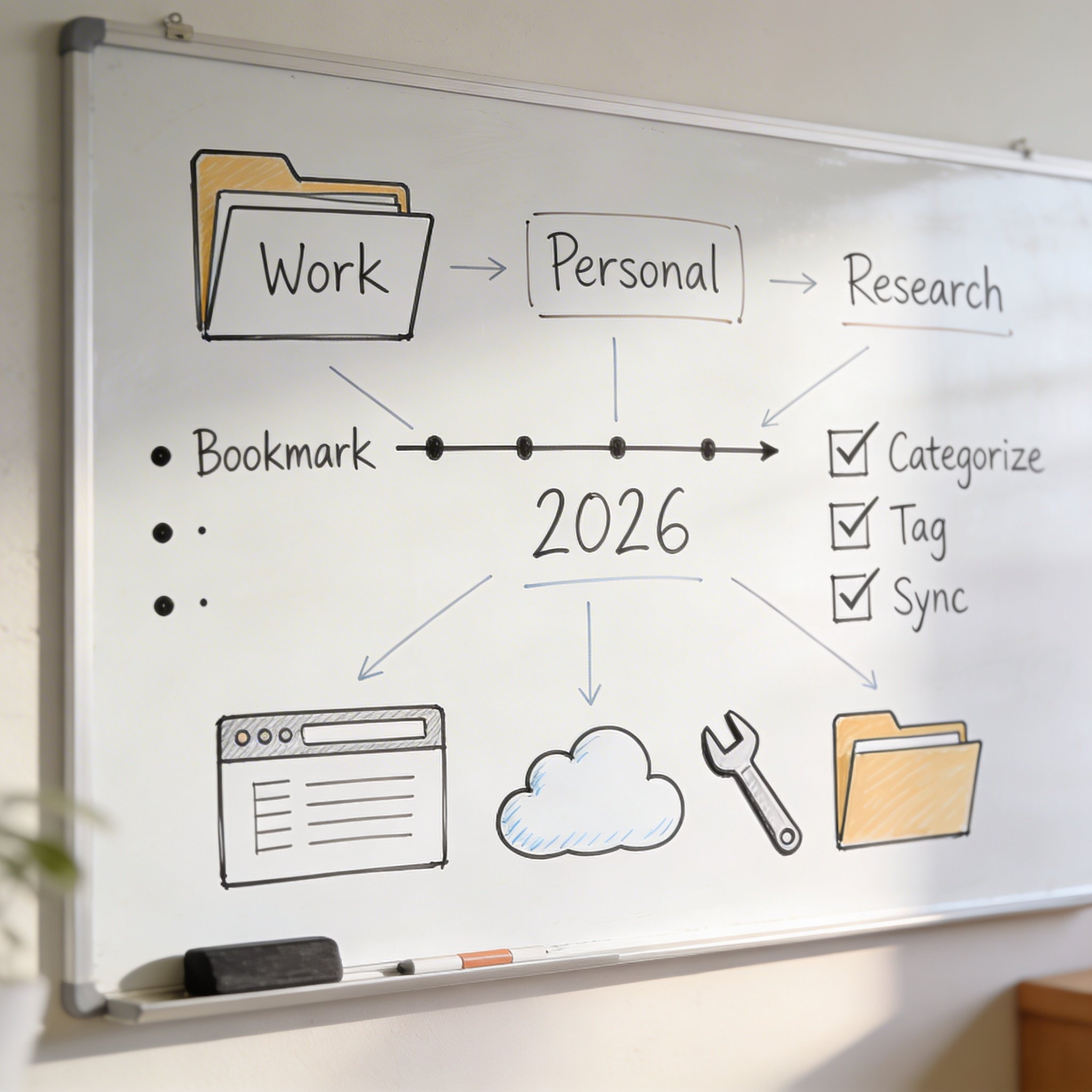
Complete Bookmark Management Guide 2026: Methods, Tools & Best Practices
Reading time: 22 minutes | Last updated: January 2026 Word count: 5000+ words | Expertise level: All levels
You’ve saved thousands of bookmarks over the years. And if you’re honest with yourself, you can probably find less than 10% of them when you actually need them.
This isn’t a personal failing—it’s a systems problem.
This comprehensive guide will transform your bookmark chaos into an organized, searchable knowledge base. You’ll learn proven methodologies, compare the best tools, discover actionable best practices, and see how real professionals manage their digital libraries.
Table of Contents
- Part 1: The Bookmark Management Problem
- Part 2: Bookmark Organization Methodologies
- Part 3: Best Bookmark Management Tools
- Part 4: Setting Up Your System
- Part 5: Best Practices
- Part 6: Advanced Techniques
- Part 7: Case Studies
- Part 8: FAQ
- Conclusion
Part 1: The Bookmark Management Problem
Why Most Bookmark Systems Fail
After studying hundreds of users’ bookmark habits, we’ve identified the five killer patterns that doom most systems:
1. The “Save Everything” Trap
Day 1: "This looks useful, I'll save it"
Day 100: 500 bookmarks, 0 organization
Day 200: Give up, start fresh
Day 300: Same problem again
The fix: Save with intention, not impulse.
2. The Over-Engineering Problem
Initial setup:
├── Work/
│   ├── Projects/
│   │   ├── Active/
│   │   │   ├── Project A/
│   │   │   │   ├── Research/
│   │   │   │   ├── Resources/
│   │   │   │   └── References/
...15 more levels...
The fix: Maximum 3 levels of hierarchy.
3. The “Perfect Title Later” Syndrome
Bookmarks saved as: - “article” - “check this” - “interesting” - “asdf” (yes, really)
The fix: Use AI to generate titles, or take 5 seconds to edit.
4. The Context Collapse
You save a bookmark while working on Project A. Six months later, you’re on Project B and find the bookmark—but you’ve completely forgotten why you saved it.
The fix: Add context at save time (tags, notes, or let AI capture it).
5. The Search Dependency
“I don’t need to organize—I’ll just search for it.”
Then you search for “react hooks article” and get 47 results because every React article mentions hooks.
The fix: Organization enables effective search, not replaces it.
The True Cost of Bookmark Chaos
Let’s quantify the problem:
| Activity | Time Lost (Average) |
|---|---|
| Searching for a bookmark you know you saved | 3-5 minutes |
| Re-Googling something you already found | 5-10 minutes |
| Recreating work because you lost the reference | 15-30 minutes |
| Decision fatigue from cluttered bookmarks | Ongoing cognitive drain |
Weekly calculation: - 3 failed bookmark searches × 5 minutes = 15 minutes - 2 re-Google sessions × 7 minutes = 14 minutes - 1 recreated work session × 20 minutes = 20 minutes
Total: ~50 minutes per week = 43 hours per year
That’s more than a full work week lost to bookmark chaos annually.
What Good Bookmark Management Looks Like
A well-managed bookmark system has these characteristics:
| Characteristic | Description |
|---|---|
| Findable | Any bookmark retrievable in <30 seconds |
| Contextual | Each bookmark has enough info to remember why you saved it |
| Maintainable | System requires minutes daily maintenance |
| Scalable | Works whether you have 100 or 10,000 bookmarks |
| Accessible | Available on all your devices |
The Gold Standard:
Need: "That React performance article from last month"
Action: Type "react performance" in search
Result: Exact article found, with your notes and tags
Time: 10 seconds
Part 2: Bookmark Organization Methodologies
The PARA Method
Developed by Tiago Forte, PARA provides a simple, actionable framework:
Structure
| Category | Definition | Bookmark Examples |
|---|---|---|
| Projects | Current work with deadlines | Project documentation, related articles |
| Areas | Ongoing responsibilities | Career development, health resources |
| Resources | Reference material for interests | Tutorials, inspiration, tools |
| Archive | Inactive items from above | Completed project materials |
Implementation for Bookmarks
Bookmarks/
├── 1-Projects/
│   ├── Website Redesign/
│   ├── Q1 Marketing Campaign/
│   └── Learning TypeScript/
├── 2-Areas/
│   ├── Frontend Development/
│   ├── Team Management/
│   └── Personal Finance/
├── 3-Resources/
│   ├── Design Inspiration/
│   ├── Code Snippets/
│   └── Useful Tools/
└── 4-Archive/
    ├── 2024 Projects/
    └── Old Reference/
Pros and Cons
| Pros | Cons |
|---|---|
| ✅ Simple to understand | ❌ Requires discipline to maintain |
| ✅ Action-oriented | ❌ Can be over-simplified |
| ✅ Scales well | ❌ Not great for quick reference |
| ✅ Works across tools | ❌ Archive can become dumping ground |
The GTD Approach
David Allen’s Getting Things Done can be adapted for bookmarks:
Core Concept
Every bookmark is either: 1. Actionable - Requires action (read, implement, respond) 2. Reference - Information for later use 3. Someday/Maybe - Might be useful eventually
Implementation
Bookmarks/
├── @Action/
│   ├── Read This Week/
│   ├── Implement/
│   └── Review/
├── @Reference/
│   ├── Documentation/
│   ├── Tools/
│   └── Tutorials/
├── @Someday/
│   └── Interesting/
└── @Waiting/
    └── Need to Check Back/
Best Practices
- Review @Action daily
- Process @Someday monthly
- Use @ prefix for quick identification
- Move completed items to @Reference or delete
Topic-Based Organization
The most intuitive approach—organize by subject matter:
Structure
Bookmarks/
├── Development/
│   ├── JavaScript/
│   ├── Python/
│   ├── DevOps/
│   └── Databases/
├── Design/
│   ├── UI/UX/
│   ├── Graphics/
│   └── Typography/
├── Business/
│   ├── Marketing/
│   ├── Finance/
│   └── Management/
└── Personal/
    ├── Health/
    ├── Travel/
    └── Hobbies/
When to Use
- Large, diverse bookmark collections
- Multiple interests or roles
- Team/shared bookmark systems
- Reference-heavy use cases
Tips
- Limit to 7-10 top-level categories
- Allow 2-3 levels maximum
- Use tags for cross-cutting concerns
Action-Based Organization
Organize by what you’ll DO with the bookmark:
Structure
Bookmarks/
├── Read/
│   ├── Articles/
│   ├── Documentation/
│   └── Books/
├── Watch/
│   ├── Tutorials/
│   ├── Talks/
│   └── Courses/
├── Use/
│   ├── Tools/
│   ├── APIs/
│   └── Templates/
├── Buy/
│   ├── Wishlist/
│   └── Comparison Shopping/
└── Learn/
    ├── Current Courses/
    └── Future Learning/
Best For
- Content-heavy collections
- Learning-focused users
- Clear action intentions
Hybrid Systems
Most effective systems combine approaches:
Recommended Hybrid: PARA + Tags
Folders for major organization (PARA):
Projects/ → Areas/ → Resources/ → Archive/
Tags for cross-cutting topics:
#javascript #react #tutorial #reference #urgent
Example:
A React tutorial for your current project:
- Folder: Projects/Website Redesign/
- Tags: #react #tutorial #frontend
Later, when searching for React tutorials generally, tags make it findable.
AI-Driven Organization (2026 Approach)
The newest methodology: let AI do the organizing.
How It Works (NavHub Example)
- Save bookmark - Just click save
- AI analyzes - Content, context, your history
- Auto-categorization - AI assigns folder/category
- Smart titling - AI generates descriptive title
- Tag suggestion - AI adds relevant tags
- Semantic indexing - Enables meaning-based search
Before vs After
Traditional Approach:
Save → Choose folder → Edit title → Add tags → Hope you remember
Time: 30-60 seconds per bookmark
AI Approach:
Save → Done (AI handles the rest)
Time: 2 seconds per bookmark
When AI Organization Works Best
- High-volume saving (10+ bookmarks/day)
- Diverse topics
- Users who don’t want to maintain systems
- Large existing collections needing reorganization
Tools Supporting AI Organization
| Tool | AI Capabilities |
|---|---|
| NavHub | Full: titles, tags, categories, semantic search |
| Notion AI | Partial: needs manual setup, AI assists |
| Raindrop.io | Limited: suggestions only |
| Browser | None |
Try AI-powered organization with NavHub →
Part 3: Best Bookmark Management Tools
Tool Comparison Matrix
| Feature | NavHub | Raindrop.io | Browser | |
|---|---|---|---|---|
| AI Organization | ✅ Full | ⚠️ Limited | ❌ | ❌ |
| Smart Titles | ✅ | ❌ | ❌ | ❌ |
| Auto-Tagging | ✅ | ⚠️ Suggestions | ⚠️ | ❌ |
| Semantic Search | ✅ | ❌ | ❌ | ❌ |
| Visual Collections | ✅ | ✅ Best | ⚠️ | ❌ |
| Full-Text Search | ✅ | ✅ Pro | ✅ | ❌ |
| Multi-Media Preview | ✅ Full | ⚠️ Basic | ❌ | ❌ |
| Mobile App | ✅ | ✅ | ✅ | ✅ |
| Browser Extension | ✅ | ✅ | ✅ | N/A |
| Team Features | ✅ | ✅ | ⚠️ | ❌ |
| Free Tier | Generous | Good | Limited | Free |
| Price (Pro) | $4.99/mo | $3/mo | $5/mo | Free |
NavHub - AI-Powered Management
NavHub represents the 2026 approach to bookmark management: AI handles organization so you focus on using your bookmarks.
Key Differentiators
1. AI Smart Bookmarks
Input: Save "https://github.com/anthropics/courses"
Output:
  Title: "Claude Cookbooks - AI Notebook Recipes Collection"
  Category: Development > AI & Machine Learning
  Tags: #ai #tutorials #anthropic #claude
  Description: "Collection of Jupyter notebooks demonstrating..."
2. Semantic Search Instead of keyword matching:
Query: "that article about making React faster"
Finds: "React Performance Optimization Techniques" (saved 3 months ago)
3. Multi-Media Preview Preview content without leaving NavHub: - Videos (YouTube, Bilibili, Vimeo) - Documents (PDF, Word, Excel, PowerPoint) - Code files (with syntax highlighting) - Audio files and podcasts
4. Platform Connectors - GitHub: Track repos you’ve bookmarked - Notion: Sync with your workspace - Hacker News: Built-in tech news widget
Best For
- Developers with large technical libraries
- Users who save 10+ bookmarks daily
- Anyone tired of manual organization
- Knowledge workers managing diverse resources
Pricing
| Plan | Price | Highlights |
|---|---|---|
| Free | $0 | Unlimited pages, 5 widgets/page, 10 AI responses/month |
| Pro | $4.99/mo | Unlimited widgets, AI bookmark categorization, Figma integration |
Raindrop.io - Visual Organization
Raindrop.io excels at beautiful visual organization.
Key Features
- Collections: Nested folders with custom icons
- Views: Cards, list, headlines, moodboard
- Highlights: Annotate saved pages
- Full-text search: Search within page content (Pro)
Best For
- Visual thinkers
- Designers curating inspiration
- Users who prefer manual organization
- Those wanting beautiful bookmark displays
Limitations
- No AI organization
- No custom widgets
- No platform integrations beyond basics
Pocket - Read Later Focus
Pocket (Mozilla) specializes in saving articles to read later.
Key Features
- Distraction-free reading: Clean article view
- Text-to-speech: Listen to articles
- Recommendations: Discover similar content
- Offline access: Read without internet
Best For
- Article/blog readers
- Commuters who listen to content
- Users focused on “read later” workflow
- Simple needs without organization complexity
Limitations
- Not great for non-article content
- Minimal organization features
- No AI capabilities
- Better for consumption than reference
Browser Built-in Options
Every browser offers basic bookmark management:
| Browser | Strengths | Weaknesses |
|---|---|---|
| Chrome | Sync, search | No organization tools |
| Firefox | Tags, search | Limited views |
| Safari | iCloud sync | Very basic |
| Edge | Collections feature | Limited AI |
When Built-in Works
- Under 100 bookmarks
- Single browser usage
- Minimal organization needs
- Budget of $0
Choosing the Right Tool
Decision Framework:
Q1: Do you save 10+ bookmarks per week?
├── No → Browser built-in or Pocket
└── Yes → Continue

Q2: Do you want AI to handle organization?
├── Yes → NavHub
└── No → Continue

Q3: Is visual presentation important?
├── Yes → Raindrop.io
└── No → Continue

Q4: Is your primary use "read later"?
├── Yes → Pocket
└── No → NavHub or Raindrop.io
Part 4: Setting Up Your System
Step 1: Audit Your Current Bookmarks
Before building a new system, understand what you have:
Export Everything:
Chrome: Bookmarks → Bookmark Manager → ⋮ → Export
Firefox: Bookmarks → Show All → Import/Export → Export to HTML
Safari: File → Export Bookmarks
Analyze Your Collection: - Total count - Category distribution - Date ranges - Duplicate count - Broken link percentage
Questions to Answer: 1. What percentage have you accessed in the past year? 2. What are your most-used bookmarks? 3. What categories would cover 80% of your bookmarks? 4. How many are actually outdated/irrelevant?
Step 2: Choose Your Structure
Based on your audit, select a methodology:
| Your Situation | Recommended Structure |
|---|---|
| Project-focused work | PARA Method |
| Action/task oriented | GTD Approach |
| Research/reference heavy | Topic-Based |
| Content consumption focus | Action-Based |
| High volume, diverse topics | AI-Driven (NavHub) |
| Mixed needs | Hybrid system |
Step 3: Create Your Categories
The Rule of Seven: No more than 7 top-level categories. Human memory handles 7±2 items effectively.
Example Category Sets:
For Developers:
1. Documentation
2. Tools
3. Learning
4. Code Examples
5. Projects
6. Career
7. Inspiration
For Marketers:
1. Campaigns
2. Tools
3. Competitors
4. Industry News
5. Templates
6. Learning
7. Vendors
For Students:
1. Classes
2. Research
3. Tools
4. Career
5. Campus
6. Personal
7. Archive
Step 4: Develop Naming Conventions
Consistent naming makes search work:
Title Format:
[Topic] - [Specific Subject] - [Type]

Examples:
"React - Hooks Deep Dive - Tutorial"
"AWS - S3 Bucket Policies - Documentation"
"Python - List Comprehensions - Cheatsheet"
Or use AI: NavHub generates descriptive titles automatically.
Step 5: Implement Tagging Strategy
Tags complement folders by enabling cross-category discovery.
Tag Categories:
| Category | Examples | Purpose |
|---|---|---|
| Topic | #react #python #marketing | Subject matter |
| Type | #tutorial #reference #tool | Content type |
| Status | #toread #implemented #reviewed | Workflow state |
| Quality | #essential #good #meh | Personal rating |
| Time | #2026 #q1 #january | When saved/relevant |
Tagging Rules: 1. Use 2-5 tags per bookmark 2. Keep tags lowercase 3. Use existing tags when possible 4. Review and consolidate monthly
Step 6: Set Up Quick Capture
The easier it is to save, the more consistent you’ll be:
Browser Extension Setup: 1. Install your tool’s extension (NavHub, Raindrop, etc.) 2. Configure keyboard shortcut (e.g., Ctrl+Shift+B) 3. Set default behavior (folder, tags)
Mobile Setup: 1. Install mobile app 2. Set up share sheet integration 3. Configure quick-save defaults
Desktop Workflow:
See interesting page → Keyboard shortcut → Quick edit if needed → Saved
Total time: 5-10 seconds
Part 5: Best Practices
Daily Habits
The 5-Second Rule: When saving, take 5 seconds to: - Verify the title makes sense - Add one relevant tag - Choose the right folder (or let AI do it)
The Inbox Zero Approach: - New bookmarks go to “Inbox” - Process inbox daily - Move to permanent home or delete
End-of-Day Ritual (2 minutes): 1. Review today’s saves 2. Fix any misfiled items 3. Delete obvious noise
Weekly Maintenance
Weekly Review (10 minutes):
| Task | Time |
|---|---|
| Process any inbox items | 3 min |
| Review this week’s saves | 3 min |
| Check and fix broken links | 2 min |
| Consider deletions | 2 min |
Questions to Ask: - Did I use any saved bookmarks this week? - Are my categories still working? - Any patterns in what I’m saving?
Monthly Reviews
Monthly Deep Clean (30 minutes):
- Audit counts: Total bookmarks, new this month, deleted
- Review categories: Any needed? Any redundant?
- Tag cleanup: Consolidate similar tags, remove unused
- Archive sweep: Move old project items to archive
- Quality check: Remove outdated/irrelevant items
Key Metrics to Track: - Total bookmark count - New bookmarks/month - Deleted bookmarks/month - Search success rate (can you find what you need?)
Common Mistakes to Avoid
| Mistake | Why It’s Bad | Solution |
|---|---|---|
| Too many folders | Paralysis when saving | Max 7 top-level |
| No naming convention | Search becomes impossible | Consistent titles |
| Saving everything | Noise drowns signal | Save with intention |
| Never deleting | Collection becomes useless | Monthly purge |
| Ignoring duplicates | Wasted searches | Use dedup tools |
| Complex hierarchies | Items get lost | Max 3 levels deep |
| Tags without strategy | Tags become meaningless | Define tag categories |
Part 6: Advanced Techniques
Semantic Search and AI
Traditional Search: Matches keywords
Search: "javascript loops"
Matches: Pages with "javascript" AND "loops" in title/content
Semantic Search: Matches meaning
Search: "iterate through arrays in JS"
Matches: "JavaScript For Loops", "Array.forEach() Guide", "Modern JS Iteration"
How to Leverage AI Search (NavHub): - Use natural language queries - Don’t worry about exact keywords - Search by concept, not just terms - AI understands context from your history
Cross-Platform Syncing
The Multi-Device Reality: - Work laptop - Personal laptop - Phone - Tablet
Sync Strategy:
| Approach | Tools | Pros | Cons |
|---|---|---|---|
| Cloud-native | NavHub, Raindrop | Automatic, real-time | Requires internet |
| Browser sync | Chrome, Firefox | Built-in, free | Browser-locked |
| Manual export | Any | Full control | Tedious |
Best Practice: Use a cloud-native tool for primary system, browser sync as backup.
Automation and Integrations
Zapier/Make Automations:
| Trigger | Action | Use Case |
|---|---|---|
| Star GitHub repo | Save to bookmarks | Track repositories |
| Save Slack message | Create bookmark | Capture team resources |
| RSS new item | Auto-bookmark | Follow topics |
| Email link | Save bookmark | Inbox to bookmarks |
API Integration Examples (NavHub):
// Auto-save all links from Slack channel
slackClient.on('message', async (msg) => {
  const urls = extractUrls(msg.text);
  for (const url of urls) {
    await navhub.bookmarks.create({
      url,
      folder: 'From Slack',
      useAI: true
    });
  }
});
Building a Personal Knowledge Base
Your bookmarks can become the foundation of a knowledge system:
The Knowledge Base Architecture:
Bookmarks (External Resources)
    ↓
Notes (Your Synthesis)
    ↓
Projects (Applied Knowledge)
    ↓
Outputs (Created Content)
Integration with Note-Taking: 1. Bookmark interesting resource 2. Create linked note with insights 3. Reference in project documentation 4. Cite in final outputs
Tools that Connect: - NavHub + Notion: Sync bookmarks to Notion database - Raindrop + Obsidian: Use highlights in notes - Pocket + Readwise: Extract to note system
Part 7: Case Studies
Developer: 2000+ Technical Resources
Profile: Sarah, Senior Frontend Developer Challenge: 2000+ bookmarks accumulated over 8 years, mostly technical documentation and tutorials
Before: - Chrome bookmarks bar overflowing - 50+ folders, 5 levels deep - Search failed 60% of the time - Frequently re-Googled known resources
Solution: Migrated to NavHub with AI organization
Implementation: 1. Exported all Chrome bookmarks 2. Imported to NavHub 3. Let AI re-categorize and re-title 4. Added GitHub widget for repo tracking 5. Set up Hacker News for tech news
After (3 months):
| Metric | Before | After |
|---|---|---|
| Time to find bookmark | 2-3 min | 10-15 sec |
| Re-Google frequency | 5x/week | 1x/week |
| New bookmark organization time | 30 sec | 0 (AI) |
| Weekly maintenance | 30 min | 5 min |
Key Learnings: - “AI titling was transformative—I can actually search now” - “The GitHub widget replaced 20 starred repos in my bookmarks” - “I deleted 400 outdated bookmarks during migration”
Researcher: Academic Paper Collection
Profile: Dr. James, Academic Researcher Challenge: 500+ academic papers, multiple research projects
Before: - PDFs scattered across folders - Bookmarks to paper URLs separate from downloads - Lost context of why papers were saved - Reference management disconnected
Solution: Hybrid system with NavHub + Zotero
Implementation: 1. NavHub for web resources and paper discovery 2. Zotero for actual paper management 3. Cross-reference with tags 4. NavHub AI for categorizing new discoveries
Structure:
NavHub (Discovery & Web)
├── Literature Search/
│   ├── Machine Learning/
│   ├── Natural Language/
│   └── Computer Vision/
├── Methodology Resources/
├── Datasets/
└── Tools & Software/

Zotero (Papers & Citations)
├── By Project/
└── By Topic/
Results: - Paper discovery time: -40% - Citation accuracy: 100% (was 90%) - Cross-referencing: Now possible - Collaboration: Easier to share discoveries
Content Creator: Inspiration Library
Profile: Maria, YouTube Creator & Designer Challenge: Thousands of inspiration links, reference images, tutorials
Before: - Pinterest boards overflowing - YouTube “Watch Later” at 500+ - Bookmarks for tools scattered - No way to find “that thing I saw months ago”
Solution: Raindrop.io for visual + NavHub for tools/tutorials
Implementation: 1. Raindrop.io for visual inspiration (moodboard view) 2. NavHub for tutorials, tools, and references 3. Cross-linking with consistent tags
Structure:
Raindrop.io (Visual)
├── Color Palettes/
├── Typography/
├── UI Inspiration/
├── Video Thumbnails/
└── Motion Graphics/

NavHub (Functional)
├── Video Editing/
│   ├── Tutorials/
│   ├── Tools/
│   └── Templates/
├── Design Tools/
├── Music & Sound/
└── Business/
Results: - Inspiration retrieval: 5 min → 30 sec - Tool discovery for projects: Instant - Content planning: More organized - Cross-platform access: Seamless
Remote Worker: Team Resource Hub
Profile: Alex, Remote Team Lead (12 people) Challenge: Team resources scattered, knowledge silos, onboarding difficulty
Before: - Links in Slack (lost in history) - Personal bookmark collections - Wiki outdated within weeks - New hires lost for months
Solution: NavHub Team for shared resources
Implementation: 1. Created team workspace in NavHub 2. Established category structure 3. Set up contribution guidelines 4. Integrated with Slack for easy sharing
Structure:
Team Workspace/
├── Onboarding/ (Required reading for new hires)
├── Tools/
│   ├── Development/
│   ├── Communication/
│   └── Project Management/
├── Documentation/
│   ├── Internal Guides/
│   └── External APIs/
├── Vendor Resources/
└── Team Members/ (Personal collections, optional sharing)
Results:
| Metric | Before | After |
|---|---|---|
| Onboarding time | 4 weeks | 2 weeks |
| “Where is X?” Slack msgs | 10/week | 2/week |
| Duplicate tool subscriptions | 3 | 0 |
| Knowledge retention | Low | High |
Part 8: FAQ
Getting Started
How do I start organizing existing bookmarks? 1. Export current bookmarks 2. Import to your chosen tool 3. If using NavHub, let AI reorganize 4. If manual, start with top-level categories 5. Process gradually (don’t try to do everything at once)
How many bookmarks is too many? There’s no hard limit, but: - Under 500: Manual organization works - 500-2000: Need good system + search - 2000+: Strongly recommend AI assistance
Should I delete old bookmarks? Yes! Regular pruning keeps your collection useful. Delete: - Broken links - Outdated content - Things you’ve never accessed - Duplicates - “Why did I save this?” items
Organization
Folders vs tags—which is better? Use both: - Folders for primary organization (where things live) - Tags for cross-cutting concerns (what things are about)
How deep should my hierarchy go? Maximum 3 levels. If you need more, your categories are too narrow.
How do I handle bookmarks that fit multiple categories? This is what tags solve. Put the bookmark in its primary home, then tag it for secondary topics.
Tools
Is AI organization actually better? For most users, yes. AI: - Eliminates the friction of organizing - Creates more consistent categorization - Enables semantic search - Scales without effort
The main case against: If you have a very specific system that AI doesn’t match, manual may be better.
Can I switch tools without losing everything? Yes. All major tools support HTML bookmark export/import. Some support direct migration (e.g., Raindrop → NavHub).
Maintenance
How much time should I spend on maintenance? - Daily: 2 minutes (quick review of new saves) - Weekly: 10 minutes (process inbox, check organization) - Monthly: 30 minutes (deep clean, metrics review)
What’s the single most important habit? Consistent titling. Whether AI or manual, clear titles make everything else work.
Conclusion
Bookmark management isn’t about perfection—it’s about building a system that works for you.
Key Takeaways
- Diagnose your problem first: Understand why your current system fails
- Choose a methodology: PARA, GTD, topic-based, or AI-driven
- Select the right tool: Match tool capabilities to your needs
- Start simple: You can always add complexity later
- Maintain consistently: Small daily habits beat occasional overhauls
- Leverage AI: In 2026, AI organization saves significant time
Your Action Plan
This Week: - [ ] Export and analyze your current bookmarks - [ ] Choose a methodology (or try AI-driven) - [ ] Set up your tool of choice - [ ] Create top-level categories
This Month: - [ ] Migrate existing bookmarks - [ ] Establish daily habits - [ ] Configure browser extension for quick capture - [ ] Complete first weekly review
Ongoing: - [ ] 5-minute daily maintenance - [ ] Monthly deep clean - [ ] Quarterly system evaluation
The Final Word
Your bookmarks represent years of discovered knowledge. A good management system transforms that collection from a graveyard into a living resource.
Start today. Your future self will thank you.
Ready to Transform Your Bookmark Chaos?
Try AI-powered bookmark management free:
- Import all your existing bookmarks
- Let AI organize automatically
- Search by meaning, not just keywords
- No credit card required
Found this guide valuable? Share it with others drowning in bookmark chaos.
Questions? Reach out at support@navhub.info